Preferences
Open Preferences in Flowpane. Sign in if prompted.
Settings → Preferences controls how Flowpane displays information to you. The application is available in English.
- Timezone — affects your dashboard greeting
- Date format — affects sign-in activity; other dates and times may use their own format
- Theme — Dark, Light or Auto, which follows your operating system setting
Try the appearance and date-format controls below to see their effect before choosing your own preferences in Flowpane. The example includes a selection of timezones.
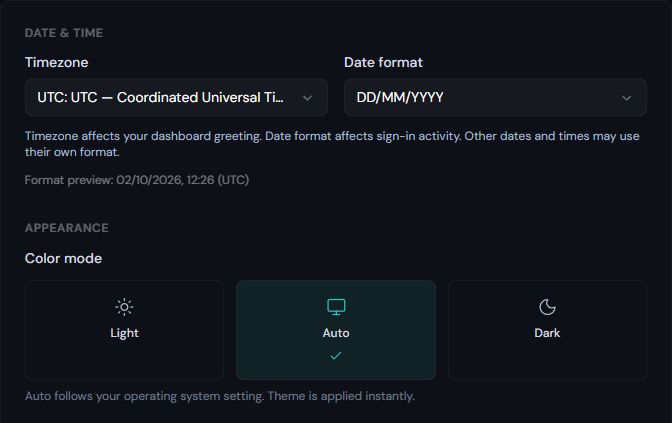
Timezone affects the dashboard greeting. Date format affects sign-in activity. Light, Dark and Auto control appearance; Auto follows your operating system.
Screenshot captured 2 October 2026.
A Default Workspace section is visible on the page but is not active yet. Flowpane currently opens the Workspace you last used, or the Workspace selector if you belong to more than one.
Dates in different workflows
Display preferences do not change recorded events, report contents, scheduling intervals or processing locations. Report and recipient-invitation times are labelled UTC; read the timezone shown on each surface rather than assuming every timestamp follows your selected preference.
Theme and date examples on this documentation page illustrate preferences only. They do not change your Flowpane account. Notification preferences and data residency answer different questions.